Big Sals
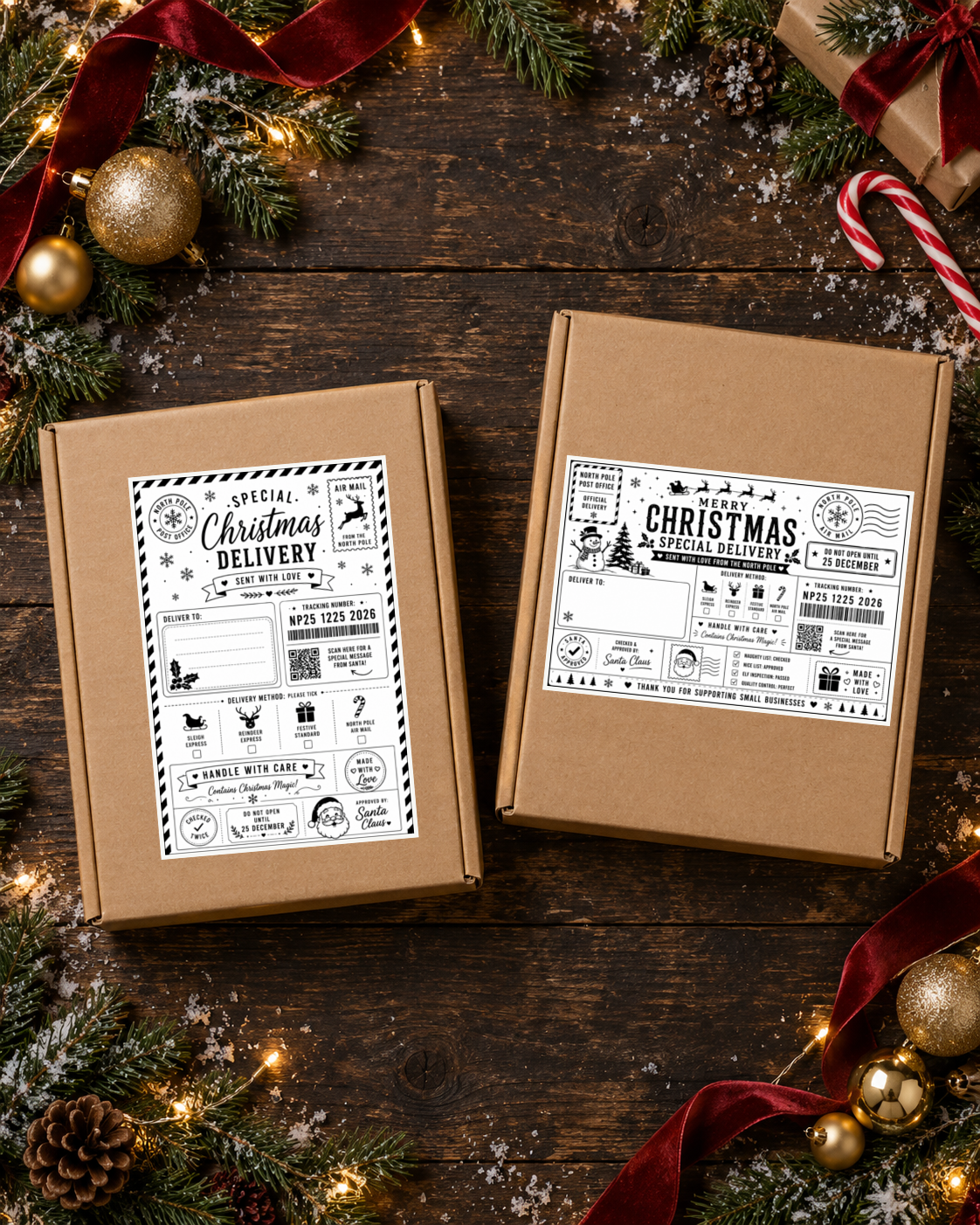
100 Christmas Post Label Designs | Editable Digital Download
100 Christmas Post Label Designs | Editable Digital Download
Couldn't load pickup availability
100 Christmas Post Label Designs — Editable Digital Download
Create polished festive packaging for Christmas orders, handmade businesses and small shops with 100 customisable Christmas post label designs.
Full-colour and thermal-print versions included — cross-compatible with thermal and inkjet printing workflows.
▼ Tap any section below to expand for more information
What’s Included
- 100 Christmas post label designs
- Full-colour versions for vibrant festive packaging
- Thermal-print versions for a clean thermal label finish
- Fully customisable designs, including editable text, layouts, images and your own details
- One digital download supplied after purchase
Thermal Printing and Inkjet Printing
The label designs are cross-compatible with both thermal and inkjet printing workflows. The two versions are included so you can choose the finish that best suits your equipment and packaging.
Choose the full-colour version when you want vibrant Christmas artwork from an inkjet, colour printer or other colour-compatible workflow. Choose the thermal-print version when you want a clean heat-printed result from a compatible thermal label printer.
Thermal printing creates the image using heat, while inkjet printing uses liquid ink. The design can work across both workflows, but the finished appearance depends on your printer, label material and print settings.
How to Download
- Complete your purchase using the email address you want the download sent to.
- After checkout, use the download link sent automatically by email once the digital file is attached to the product.
- Download the single file and unzip it on your computer or device.
- Open the included editable designs in the compatible editing programme or application you normally use.
If you cannot see the email, check your spam or junk folder and make sure you are checking the address used at checkout.
How to Print Your Christmas Labels
- Open the design you want to use and personalise the text, names, images or layout.
- Choose the full-colour version for colour printing or the thermal-print version for compatible thermal printing.
- Load suitable printable label paper, label sheets or thermal label media.
- Set the printer to the correct paper or media type and make sure scaling is set to the original size or 100%.
- Print one test label first to check the size, alignment, readability and colour before printing the rest.
Printer menus and settings vary. Always follow the media guidance for your own printer and test before producing a full batch.
Customise Your Designs
- Edit the wording to suit your Christmas orders
- Personalise names and messages
- Change the layout where needed
- Swap images and add your own details
- Save your finished design before printing
Perfect For
- Christmas orders
- Handmade businesses
- Festive parcels
- Small-shop dispatches
- Seasonal packaging
- Gift packaging
- Online shops
- Market and craft businesses
Important Digital Product Information
- No physical labels will be posted.
- Printer, paper, label sheets, ink and thermal media are not included.
- Thermal printers require media compatible with the specific printer.
- Inkjet and colour printers require suitable printable media and sufficient ink.
- Colours may vary slightly between screens, printers and label materials.
Festive packaging made simple.
Follow us @BIGSALSSTICKERS
Share